
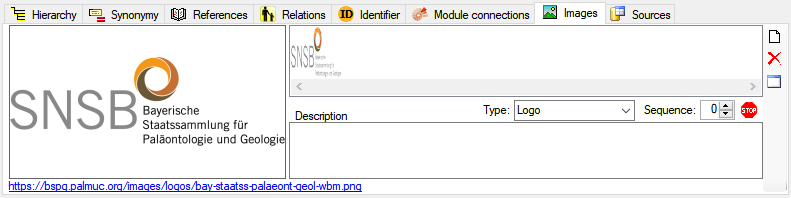
Each agent may be documented with several images.
To enter a new image, click
on the  button. A window will
open where you can enter the path and file name of the image. The selected image will be shown in the
preview.
button. A window will
open where you can enter the path and file name of the image. The selected image will be shown in the
preview.
To delete an image, select it from the list and
click on the  button. To
see the image in a separate form, click on the
button. To
see the image in a separate form, click on the  button. The path of the image is shown under the
image list. Click on it to open a browser with the image. you may as
well click on the link below the image.
By default a new image gets the entry "Withhold by default" as data
withholding reason and is therefore blocked from publication. To change
this, click on the
button. The path of the image is shown under the
image list. Click on it to open a browser with the image. you may as
well click on the link below the image.
By default a new image gets the entry "Withhold by default" as data
withholding reason and is therefore blocked from publication. To change
this, click on the
 button and either
enter your own reason or remove the entry to enable the publication of the
image. If an image
should be published (with an empty datawithholding reason) the button will
change to
button and either
enter your own reason or remove the entry to enable the publication of the
image. If an image
should be published (with an empty datawithholding reason) the button will
change to
 . To return to the
unpublished state just click on the button and enter any
text in the window that will open. The button will change to
to indicate that the
image will not be published. You may select a Type and specify a sequence
e.g. to enable a selective publication of images. In the interface the
images will be sorted accoring to their sequence.
. To return to the
unpublished state just click on the button and enter any
text in the window that will open. The button will change to
to indicate that the
image will not be published. You may select a Type and specify a sequence
e.g. to enable a selective publication of images. In the interface the
images will be sorted accoring to their sequence.
Data are stored in the table AgentImage.