If parts of a loan were returned, create a letter of acknowledgment here.
With the
 button choose the schema you need. Click on the
 button to create a document. To print the document use the
 button. To store the current document for later reference in
Documents click
on the
button. To store the current document for later reference in
Documents click
on the
 button.
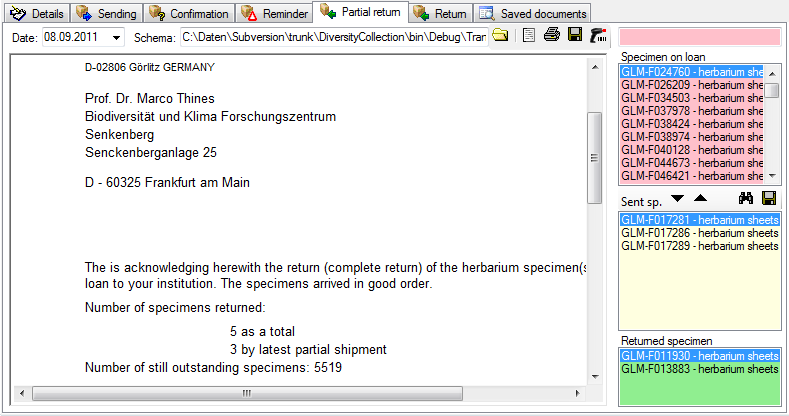
You have two options to enter
returned
specimen. Use the
 and
and
 buttons respectively to
move items
between the lists or use a barcode scanner
buttons respectively to
move items
between the lists or use a barcode scanner
 .
Move the mouse cursor into the field for
barcode detection
and scan
the barcode. The specimen will be automatically inserted
into the list for
the returned specimen. In case your
scanner is reading only parts of the barcode try to adjust
the timer interval.
Click on the
button to open a
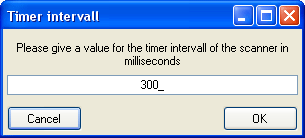
window as shown below. Here
you may set the interval to a value which is compatible with
your scanner.
If you wish
to see the
details of a specimen, choose it in the list and click on the
.
Move the mouse cursor into the field for
barcode detection
and scan
the barcode. The specimen will be automatically inserted
into the list for
the returned specimen. In case your
scanner is reading only parts of the barcode try to adjust
the timer interval.
Click on the
button to open a
window as shown below. Here
you may set the interval to a value which is compatible with
your scanner.
If you wish
to see the
details of a specimen, choose it in the list and click on the
 button.