To remove data from the creation of the hierarchy, the synonymy etc. on one hand
and not to delete them but to keep the information, use the
 Ignore option. All data set to
Ignore are no longer involved in
the normal queries, but kept to ensure e.g. links from other modules. To display
ignored data, select Query -
Show ignored data in the menu.
Ignore option. All data set to
Ignore are no longer involved in
the normal queries, but kept to ensure e.g. links from other modules. To display
ignored data, select Query -
Show ignored data in the menu.
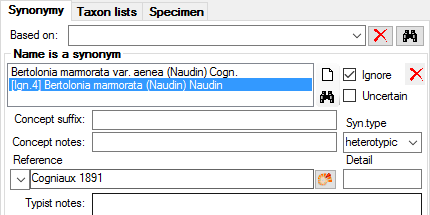
In the example below, a synonym was set on ignore.
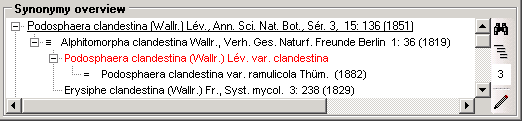
If it should happen, that a ignored name is included in a synonymy and a name within the synonymy is referring to this ignored name, the system will not be able to generate the synonymy properly. Ignored names will than be shown with red letters in the synonymy overview as shown below.
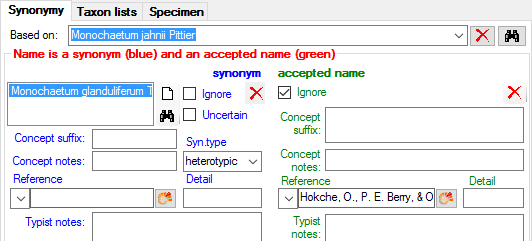
In the example below, the entry for an accepted name was set to ignore, now showing this information side by side with the current setting of the name as a synonym.
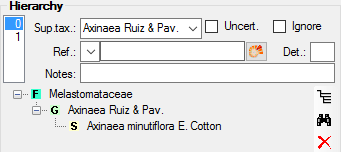
If several entries for an accepted name exist, a list will appear at the left side as shown below where to top entry (0) is the valid entry, while all other entries (> 0) are set to ignore (see below).
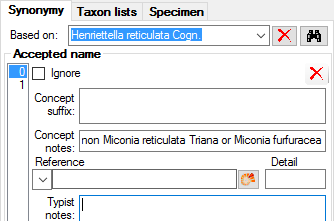
As with the accepted names, ignored data will be listed as shown below in a list where to top entry (0) is the valid entry, while all other entries (> 0) are set to ignore.