
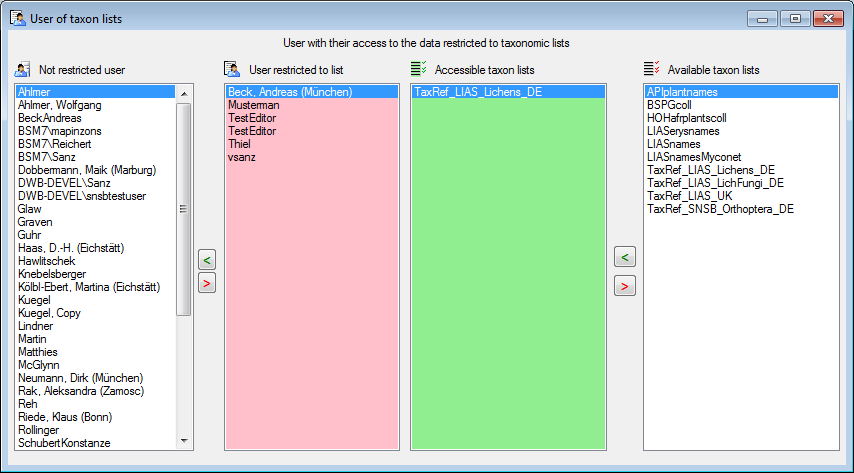
If the access of a user should be restricted to names within a taxonomic list,
choose Administration -
List user ... in the menu. A windows as shown below will open, where
you can add and remove lists thats should be accessible by a user. The users with
no restriction are listed in the left. To restrict a user to a certain list,
choose the user in the list, the
 list the user should be restricted to
and click on the > button.
The lists a restricted user has access to are listed in the
list the user should be restricted to
and click on the > button.
The lists a restricted user has access to are listed in the
 list. To add or remove lists, use
the < and
> buttons.
list. To add or remove lists, use
the < and
> buttons.
The tables involved in the storage for the taxon list are documented in the taxon list tables part.