To import the hierarchy, the higher taxa must be
imported first. Choose the same file as in the first step for the import. The
data for the higher taxa are not unique in the file. Therefore in the
 Merging step, choose
  Merge for all tables (see below).

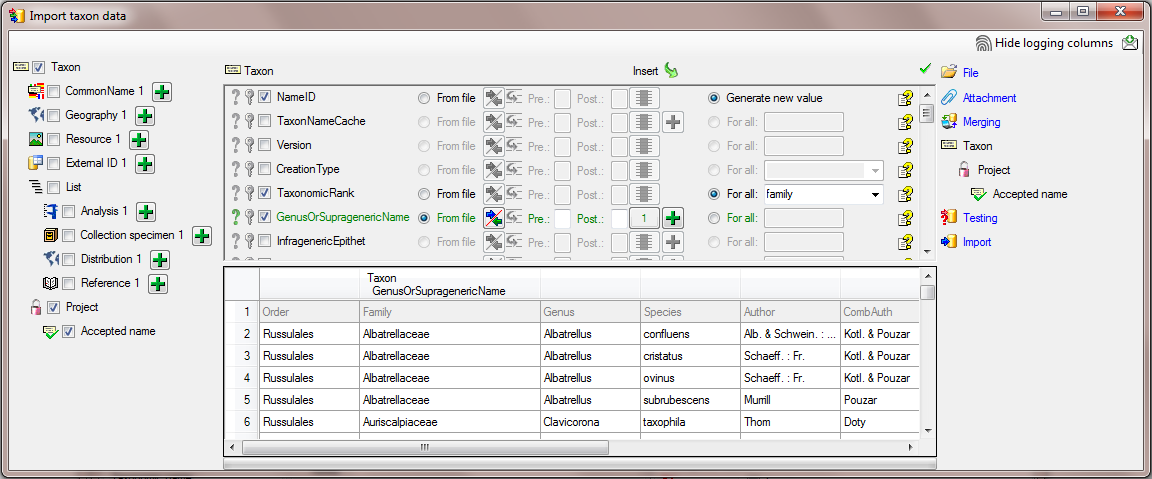
In the
Taxon step, set the first column
NameID to
 Generate new value. Then select
the column
TaxonomicRank and choose
For all and select family from
the list. Finally select the column GenusOrSupragenericName, set it as
Generate new value. Then select
the column
TaxonomicRank and choose
For all and select family from
the list. Finally select the column GenusOrSupragenericName, set it as
 Decisive columns,
set it on
From file and the column 1 as
source (see below).
Decisive columns,
set it on
From file and the column 1 as
source (see below).
In the step  Project select
For all and the project
DiversityWorkbench from the list and select this column as
Decisive column.
Project select
For all and the project
DiversityWorkbench from the list and select this column as
Decisive column.
In the step  Accepted name no futher action is needed.
Finally
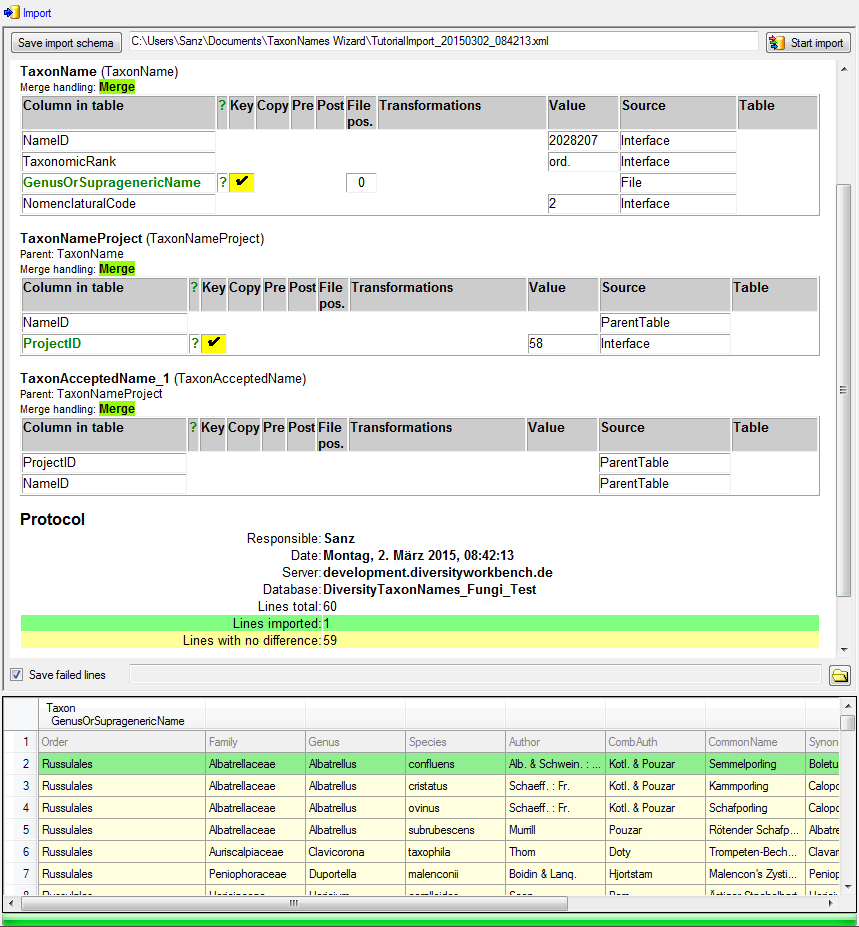
 Import the taxa. If no errors occur, the
import should return a result as shown below. Only the green lines are imported.
The yellow lines are found identical to the already imported data and are
therefore not imported.
Import the taxa. If no errors occur, the
import should return a result as shown below. Only the green lines are imported.
The yellow lines are found identical to the already imported data and are
therefore not imported.
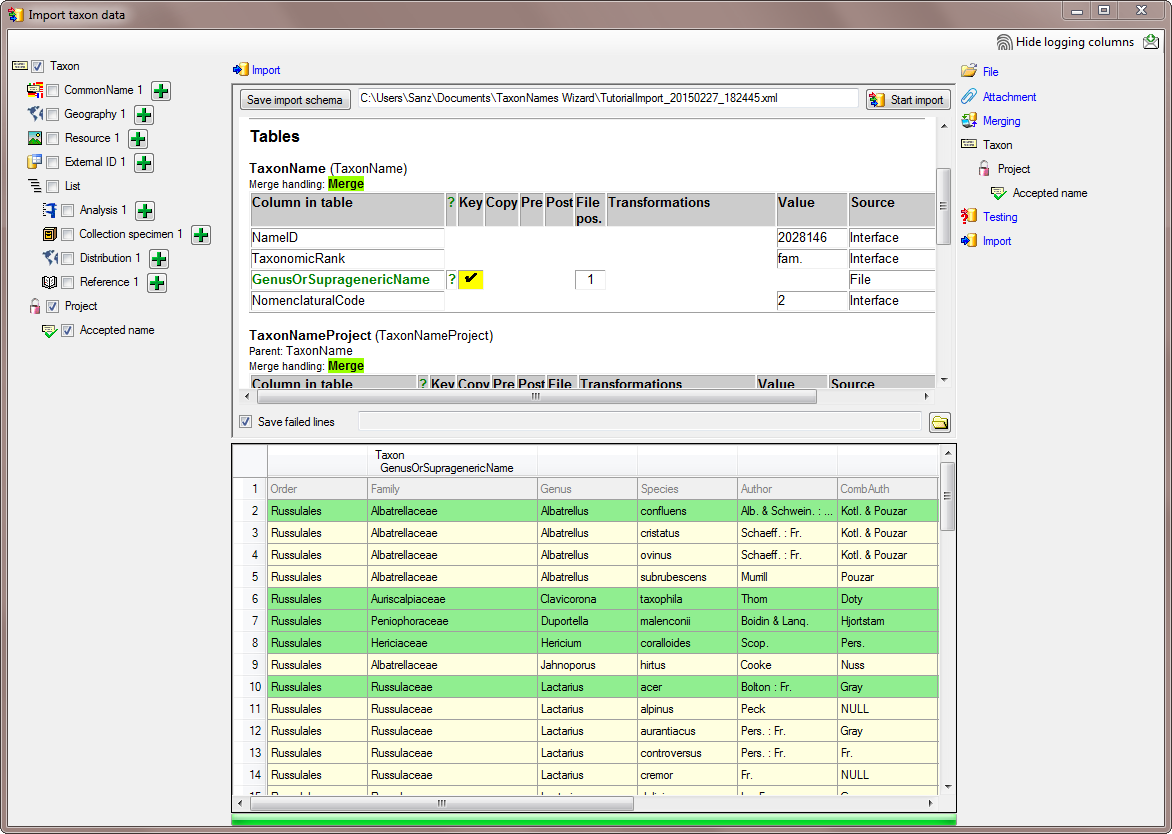
Next we
Import the order. Follow the steps as described for the
family above with the difference that now for
TaxonomicRank we select order from the list
and choose column 0 as source for the column GenusOrSupragenericName taxa. If no errors occur, the
import should return a result as shown below. Only the green lines are imported.
The yellow lines are found identical to the already imported data and are
therefore not imported (see below).